You’ve probably been there: you need to put together a training for your team, prepare a class that doesn’t bore your students, or design a campaign that grabs attention—and there it is again, the same old problem: “Where do I even start?” You know a static presentation is the fastest way to be forgotten. But you also know that creating something interactive and professional takes time you simply don’t have. So in the end, you fall back on “the usual,” just to get through it. Because yes, you want something more dynamic, more visual, more engaging… but you don’t want (or can’t afford) to spend hours—or days—building it.
But what if you could turn your idea into an interactive experience just by chatting with an assistant? That’s exactly what Genially AI Builder is here to do.
If what you need is to create a full presentation, quiz, or microlearning from an idea or a document, you can do it with Generate with AI. But if what you want is to create interactive components with AI to insert into a page in your Genially, this post is for you.
The problem: it’s not creativity we lack—it’s time
If you work in training, you know how it goes: you’re asked for micro, dynamic, effective content—fast. In education, you’re competing with a generation that lives on scroll. And in marketing, you already know that if users don’t click, your content simply disappears.
The bottleneck is usually the same: the technical side. We want to create amazing things, but we’re not developers—and we don’t have ten hours to build the logic behind a game or quiz.
But we also know that sending content that doesn’t move, doesn’t ask, and doesn’t respond comes at a cost: total audience disengagement. Whether it’s an employee, a student, or a potential customer—if they don’t play an active role, they’re gone. Fast.
AI Builder or Generate with AI: what do you need to create?
Inside Genially, you can use AI in different ways depending on where you are in the process and the type of content you want to create.
If you want to start a complete creation from an idea, a source, or a prompt, use Generate with AI. It helps you get a first complete version that’s editable and ready to customize.
If you want to create a specific interactive resource — like a game, an activity, a simulator, a dynamic experience, or a visualization — use AI Builder. It helps you build an interactive component from scratch and then insert it into your Genially without needing any coding or programming skills.
And if you’d rather start with something already created, you can use the AI components: interactive resources built with AI Builder, reviewed by Genially, and ready to customize.
In short:
| If you need to… | Use… |
|---|---|
| Create a full presentation, quiz, or microlearning | Generate with AI |
| Create your own game, simulator, activity, or interactive component | AI Builder |
| Add advanced interactivity without starting from scratch | AI components |
| Improve text, images, questions, or translations | The other Genially AI features |
How to create interactive components faster with Genially AI Builder
Genially AI Builder isn’t “just another AI content tool.” It’s an AI assistant that understands the type of resource you want to build—and creates it for you. It’s a conversational space where you describe what you need and get a ready-to-use interactive component. No more relying on technical teams or spending hours bringing your ideas to life.
You don’t have to design everything yourself.
You don’t have to build logic from scratch.
You don’t need to know how to code.
Plus, you can customize colors, fonts, and text, and use all of Genially’s interactive features: pop-ups, effects, audio, and more.
With Genially AI Builder:
- you don’t need to code
- you don’t need technical skills
- you stay in control of the creative process
You can ask for things like: “Create an immersive game to identify workplace risks in an office,” “Create a scrollable, interactive product catalog,” or “Create a simulator to explore the impact of the greenhouse effect on climate change.”
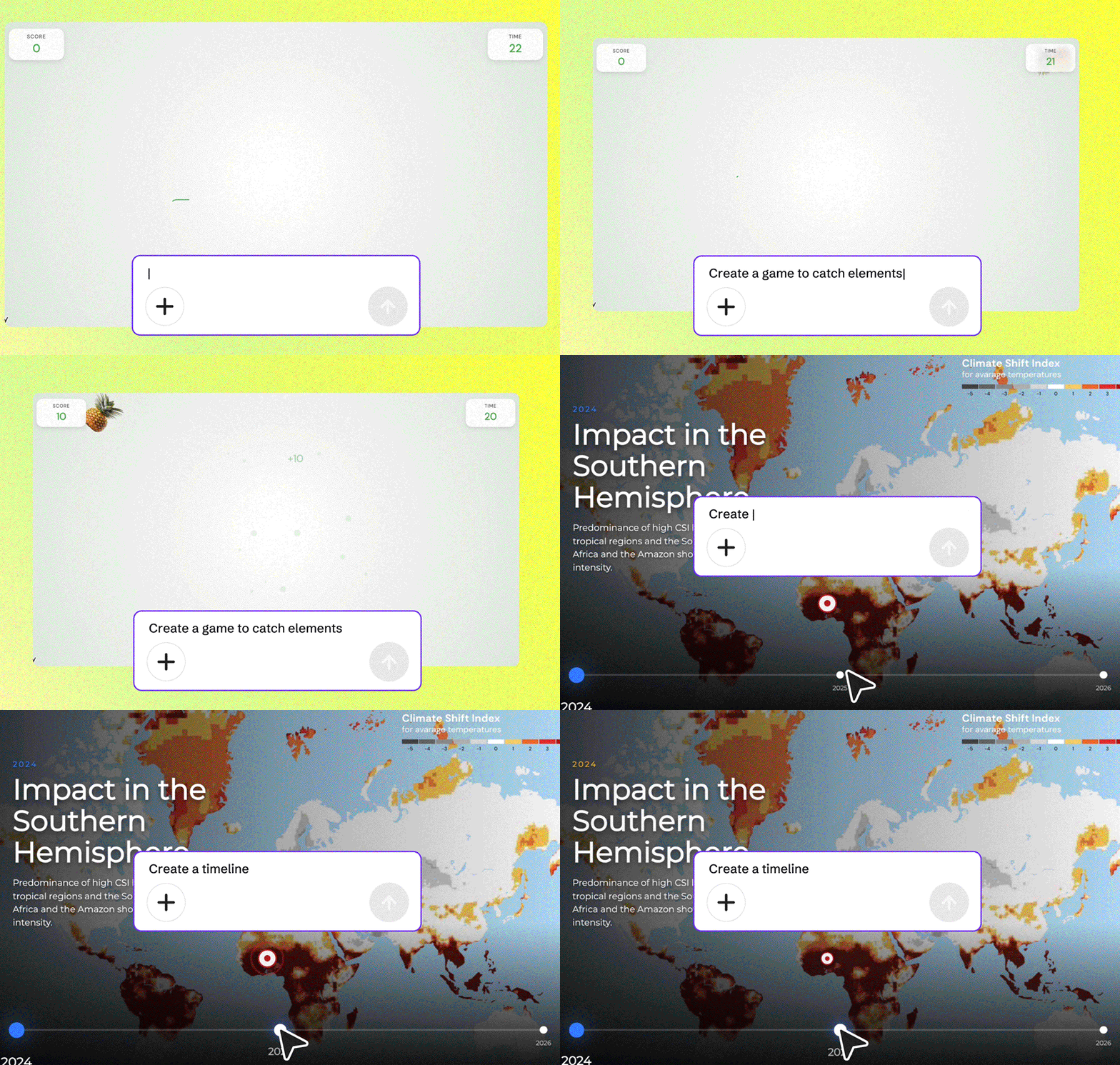
AI Builder builds the full interactive structure of a component. You just fine-tune it and drop it into your genially.
How to create interactive activities effortlessly with AI components
Sometimes you don’t want to write a prompt—you just want something ready to edit. That’s why Genially offers a gallery of AI components built with AI Builder.
These are ready-made resources you can use in your geniallys and share instantly. You can customize them or even ask the AI to adapt them to a specific topic in seconds.
It’s the fastest way to add advanced interactivity without starting from scratch.
You’ll find components like:
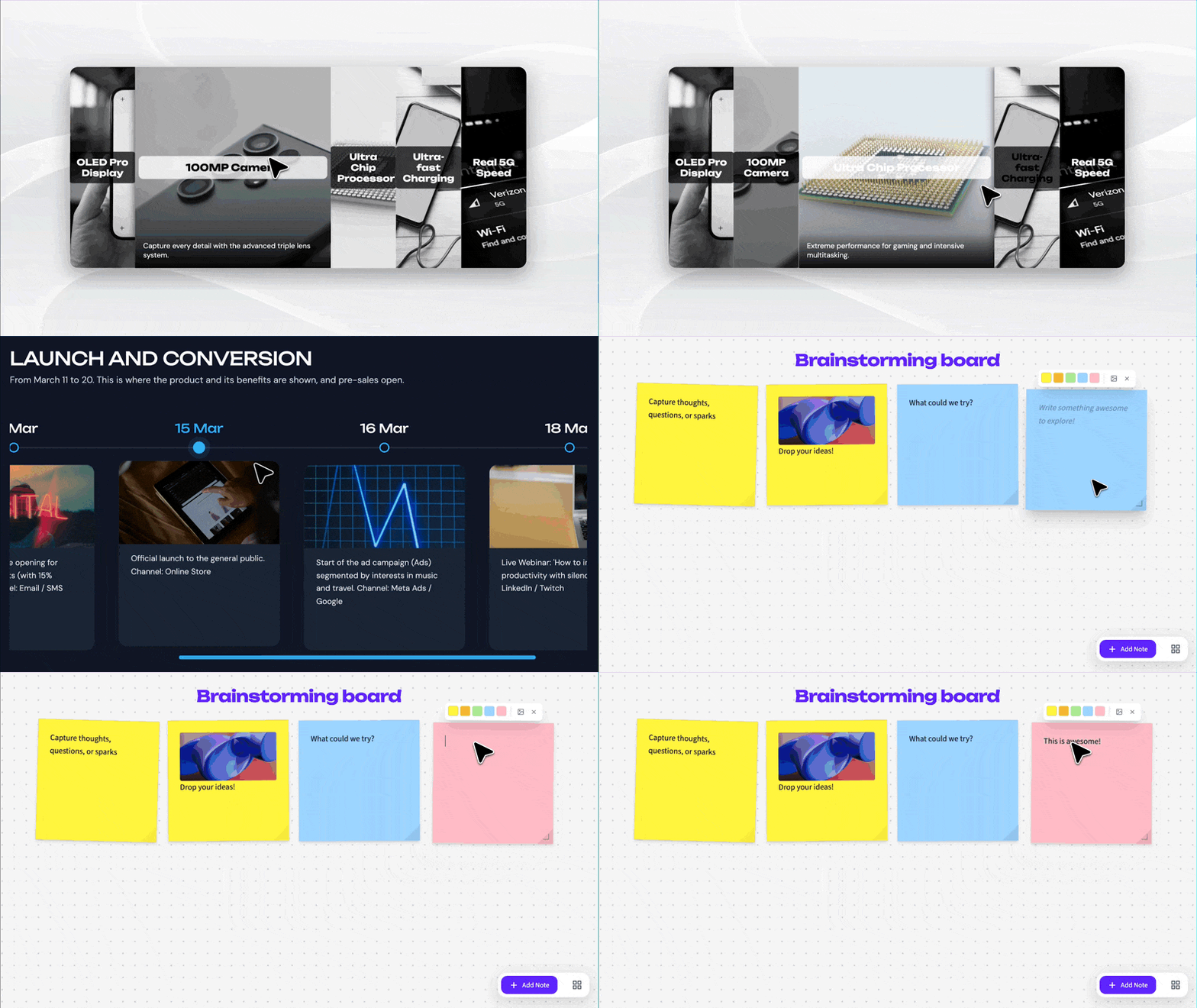
- Interactive diagrams to present new processes
- An interactive timeline for your next campaign
- A visual board for team brainstorming sessions
- Flashcards to review key concepts
- Matching activities to connect ideas
and much more.
The difference is simple: with AI Builder, you create a component from your own idea. With AI components, you start with an existing resource and make it your own.
Create content that activates your audience
The key is creating content your audience can explore, click, answer, practice, or discover. Content that doesn’t just sit on a screen but invites participation.
A static presentation can inform. But when you need to capture attention, check understanding, drive decisions, or make an idea more memorable, interactivity makes all the difference.
With AI Builder and AI components, you can create resources that turn information into experiences:
- training stops being a sequence of slides and becomes an activity;
- a complex explanation becomes a visual simulation;
- a campaign becomes more than just a message and turns into a navigable experience;
- a class can shift from “listening” to “participating.”
AI helps you build the foundation. You define the goal, review the results, and customize everything so it fits your project perfectly.
How does this actually change your day-to-day?
No matter what field you’re in, you’ll quickly notice the impact of AI Builder in your day-to-day from the very first moment. It’s not just about doing what you already do faster—it’s about doing things that once felt impossible or too complex:
1. Create logic-based components without starting from scratch
If you design training experiences, you know that setting up conditional activities or logic usually means spending hours managing layers. With AI Builder, you can create these interactive experiences with a single prompt—no need to configure endless interactions or combine layers. Skip the manual technical setup and focus on your learning strategy.
2. Add gamification to your classes or training sessions
We’d all love to be that teacher who brings amazing games to class every day, but reality gets in the way. Between grading and lesson planning, there’s barely time for anything else. Now, you can simply ask AI: “I need a game to catch chemical elements for my science class” or “Create a Tetris-style game that launches questions when a row is completed,” and go from idea to a real playable experience in the time it takes to grab a coffee.
3. Capture attention and stop the scroll with high-impact visuals (3D, transitions…)
If you work in marketing or communications, you’re probably fighting to stand out. Genially AI Builder and AI-powered components help you elevate your presentations or product demos with effects that used to be difficult—or impossible—to create: 3D effects, transitions, embeds, hover effects. Your audience won’t just see your content—they’ll stop to interact with it, increasing engagement and time spent with your brand.
You can also adapt components to match your brand identity or create activities based on information from a reference file.
And don’t just take our word for it:

“I can’t believe how easily I got the tool I needed for years!!!”
“Very easy to use and delivers presentations that match what you ask for.”
“Great for helping me in creating lessons, games, etc…”
“So cool to watch the code coming together as it’s being made! Great job following prompt given.”
What you need to know
- Do I need prompt skills? Not at all. Just talk to the AI like you would to a colleague. The more details you give, the better the result. We recommend following the AI’s suggestions—they’ll help you refine your content.
HELP CENTER
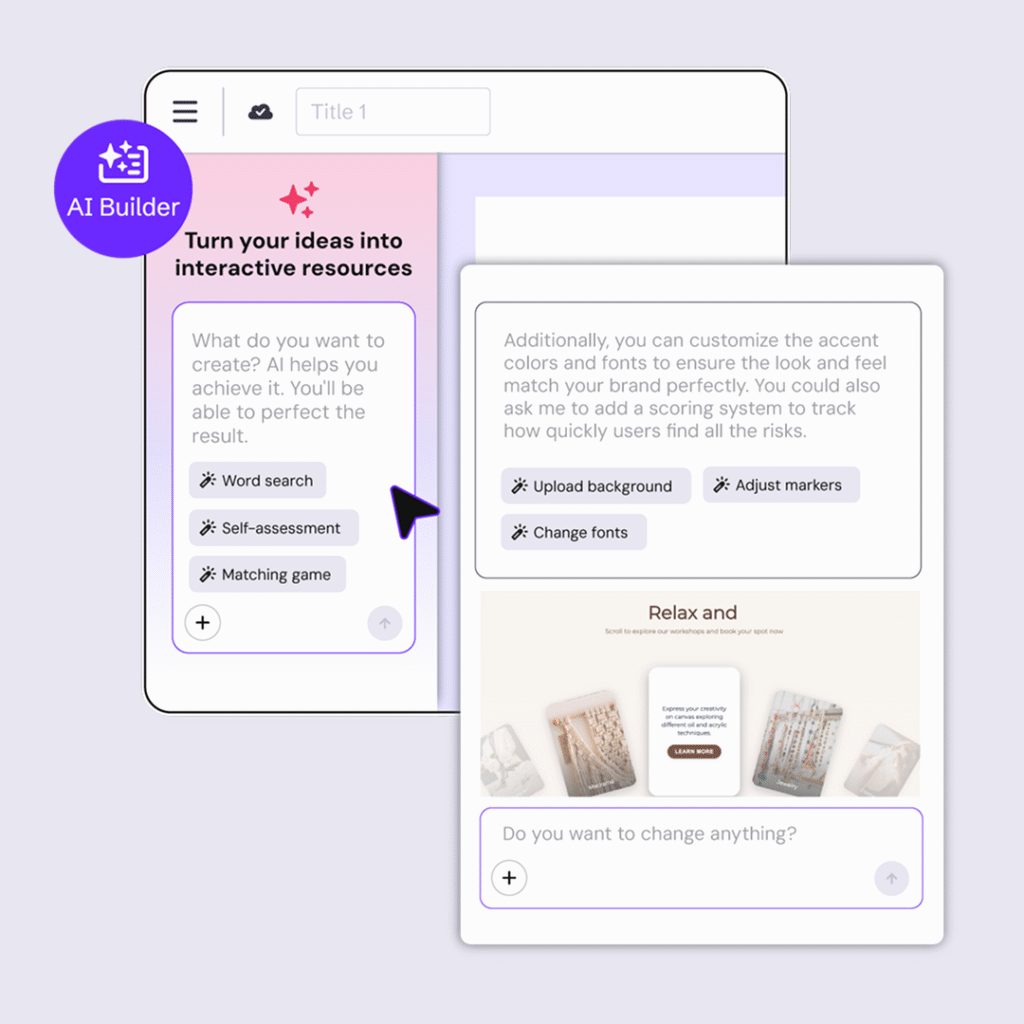
How to create with Genially AI Builder
Got an idea? Shape it with AI Builder. This is a new way to create interactive resources without touching any code—just through a conversation.
- What is Genially AI Builder? Genially AI Builder is an AI-powered interactive creation tool that turns ideas into interactive content in minutes—no technical skills needed, with full control over the final result.
- What are AI components? AI components are interactive components created with AI Builder, reviewed by Genially, and ready to use. They’re designed to help you add advanced interactivity without starting from scratch. Just choose the component that best fits your needs and customize it. They’re free and collect interaction data.
- Can I customize the design? Absolutely! The AI gives you the functional base, and you can customize colors, fonts, and images to match your style or brand.
- Does it cost extra? Creating resources with AI Builder uses credits. Check the guide to learn more. However, AI-generated components don’t use credits—they’re there for you to use for free whenever you need them.
- Is it safe? Completely. We don’t train our own AI models, and we never use your creations to train any AI systems—ours or third-party. That’s how we use AI at Genially.
- What’s the difference between AI Builder and Generate with AI? AI Builder is used to create interactive components from scratch and insert them into a page in your Genially. Generate with AI is used to create a complete Genially — such as a presentation, quiz, or microlearning — from an idea, prompt, or source.
Create interactive components in minutes and add interactivity to your content
At the end of the day, AI Builder isn’t here to replace your talent—it’s here to take the heavy lifting off your plate. We want you to spend your time on strategy, messaging, and impact—not fighting with tools that don’t behave the way you want.
Interactivity is no longer a luxury for a few tech experts—it’s now a tool available to anyone with an idea and the need to bring it to life.
And you? What have you created with Genially AI Builder? Share your creations in the comments—we love seeing them!