You need to create a presentation that explains something important, a quiz that energizes your audience, a microlearning that trains your team, or an educational resource that helps your students explore, practice, and remember. You know what you want to achieve: content that doesn’t just inform, but captures attention, creates engagement, and leaves a lasting impression.
Then you open a new creation or a template. And bam! Your mind goes blank as the questions start: How do I organize all this? What format works best? How do I make it more visual and interactive? Where do I start if I barely have any time?
Here’s the thing: the problem is almost never a lack of ideas. More often is the opposite. You have too many ideas in your head competing for attention, not enough room to organize them, and the pressure to turn them into a clear, engaging, memorable experience.
Generate a genially with AI is here to solve all that: you bring the idea, the goal, and the requirements. AI helps you shape it and turn it into a complete presentation, microlearning, or quiz with a ready-to-use structure, content, and design.
What exactly do I need to do to generate a genially with AI?
In short: you describe what you need, AI guides you through a structured flow to shape it, chooses a visual style, and generates a complete genially with multiple pages, organized content, and everything ready to edit or share.
You can review the structure before it’s built, and once the genially has been created, you can open it in the editor like any other creation. Refine the content, add missing details, adjust the design to your brand, add interactive components…
You can edit absolutely everything: text, colors, fonts, images, pages,structure, animations, and interactivity.
What types of content can I create?
For now, generate a genially with AI is designed for three formats with tons of potential:
Presentations: To explain an idea, present a project, prepare a class, or communicate results in a visual, organized way.
Quizzes: Turn passive viewers into active participants. Encourage your audience to respond, reflect, and retain key information. Perfect for training, knowledge checks, and boosting engagement.
Microlearning: Short, focused, easy-to-consume learning bites. Ideal for onboarding, internal training, or any moment when you can’t ask too much time from learners.
When does it make sense to generate a genially with AI?
- When you have the topic but not the structure
You know the goal and you know the content, but the blank screen freezes you. It happens to everyone. Generate a genially with AI turns that initial chaos into an organized proposal Instead of starting by wondering what goes on the first page, you start by improving something that already has shape.
Here are a few situations where this can make a real difference:
- You need to prepare a welcome guide for new hires
- You want to turn a complex topic into a review activity
- You need to explain an internal process clearly and visually
- You have a campaign and want to turn it into something interactive
- When you already have content, but it needs a more engaging format
A 30-page PDF. A Word document nobody reads all the way through. An internal guide that’s been gathering dust in a shared folder for years.
You can use a PDF, a long text, or even a previous genially as a starting point. Simply add it as a reference to generate something more dynamic. AI won’t simply copy and paste it into a new format. Instead, it reinterprets the content into a more visual, interactive experience designed to be easier to navigate and more engaging for your audience..
Once it’s generated, you can review, refine, and customize the result to ensure the content is accurate and aligned with your goals.
- When time is tight, but you don’t want to lose control
What our AI does is remove the slowest part of the process: getting started. That means you can spend your time on what makes the biggest difference: refining the content, adding real examples, checking that everything is accurate…

“I love it because it saves me time doing the work manually.”
“It’s amazing, I save a huge amount of time.”
Step by step: how to generate a genially with AI
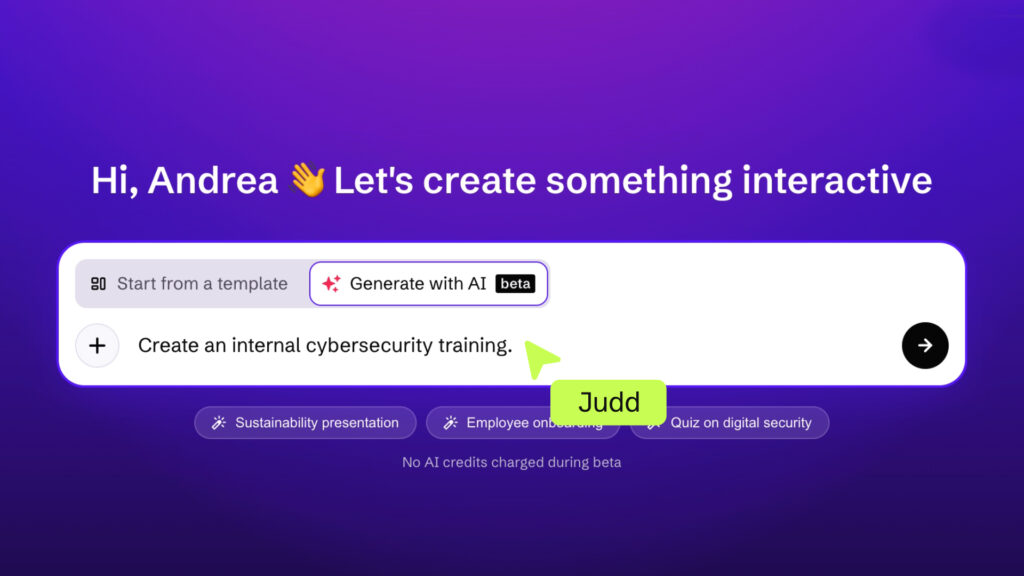
1. Write what you want to create
Tell AI what you need. It can be something simple: “Presentation on cybersecurity habits for employees.”
Or something more detailed: “Interactive presentation to train new employees on cybersecurity best practices. I want them to understand the most common risks and know what to do with suspicious emails, weak passwords, and public networks.”
The more context you provide, the more tailored the results will be. You don’t need to write the perfect prompt or the longest one, just include your topic and goal. The rest comes later.
2. Add a source if you already have content
If you already have material, you can add itas text, PDFs, or even as a genially. AI will use it to generate the content. Otherwise, AI will create the content using its own knowledge. This is specially’s useful when you want to transform dense information into something more visual without starting from scratch.
3. Let the AI experts guide the process:
- Moel, the researcher, helps define your audience, use case, tone, and content source. After all, a presentation for high school students requires a very different approach than one designed for an executive team. The clearer the context, the better the content can be adapted in terms of depth, language, pacing, and examples.
- Nia, the creative, recommends the most suitable format based on the previous settings. Currently, you can choose from three options: quiz, presentation, or microlearning.
- Noor, the designer, presents a selection of styles that best fit your content and your audience. Remember: the style isn’t final. It’s a starting point you can completely customize in the editor.
- Iris, the editor, presents a draft proposal where you can see the structure and content of each page. This is the moment to review it. Here, you can also decide whether you’d like to generate the images with AI.
4. Generate and customize
Once the review is done, all you need to do is ask AI to generate the genially, and the experts get to work! AI builds a complete genially in a matter of minutes. You can share it right away or decide to edit it in the editor like any other genially: change text, adjust the design, add interactivity, reorganize pages, and more.
HELP CENTER
How to turn an idea into a complete genially with AI
Examples of content you can generate with Genially AI
Presentations
- A class about climate change for teenagers
- A sales proposal for potential customers
- A visual summary of results to present to the team
- A launch campaign explained to the marketing team
Quizzes
- Review of a teaching unit
- Onboarding quiz for new hires
- Questions about workplace safety or cybersecurity
- Closing activity to assess what was learned in a training session
Microlearning
- Internal policies nobody reads as PDFs
- Best practices for communication or tools
- Key concepts from a subject
- Sales processes or compliance procedures
What can you edit after generating a genially with AI?
Everything. Yes, really.
- Text, colors, fonts, and images: Adjust, adapt the design to your visual identity, swap generic images for your own resources.
- Pages and structure: Remove what’s unnecessary, add what’s missing, change the order if it doesn’t convince you.
- Interactivity: Buttons, windows, animations, and clickable elements. Interactivity isn’t there for decoration. It’s what gets your audience to participate, explore and stay engaged. All AI-generated geniallys already come with interactivity and animations, but you can customize them.
- Tone and examples: Add real-world examples, internal references, and specific calls to action. That’s what turns a generated draft into something that sounds like you, because it is.
Generate a genially with AI vs AI Builder vs AI components
Three different tools for three different moments in the creative process. And it’s worth knowing exactly what each one is for:
Generate a Genially with AI → Use it to create a complete, multi-page genially from an idea or source. It’s 100% editable. AI saves you a big part of the heavy lifting: creating the text, content, and images for each page.
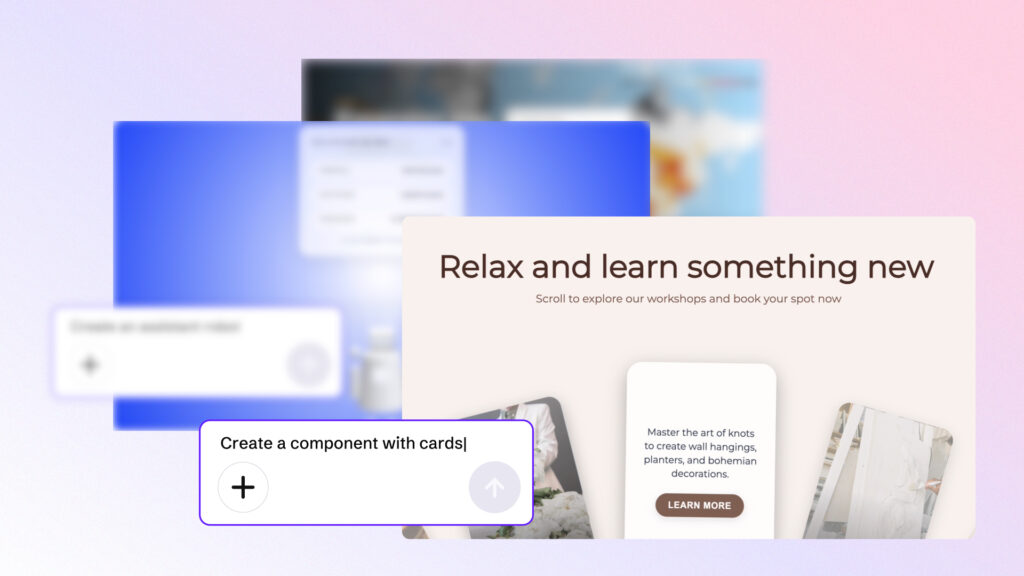
AI Builder → Use it when you need to build a specific interactive component from scratch and insert it into your genially. Ideal when you need a specific activity.
AI components → These are interactive components already created and refined by the Genially team, ready to use in your creations. No need to build anything from scratch.
Each one has its moment. Sometimes you’ll use them together, each with its own distinct role.
Benefits of generating a genially with AI
- No more blank page syndrome: Generate a genially with AI removes that first obstacle: you no longer have to start from scratch, because AI generates a content structure for you in seconds.
- Save hours of work: What used to take hours of research and design, can now be accomplished in minutes.
- Total creative control: This matters more than it might seem. You receive a genially you can open, modify, and make completely your own. Our AI doesn’t limit your creativity, it gives you a stronger starting point.
- Multilingual: AI responds in the language of the prompt or source file you input, making content creation for global audiences easier.
Frequently asked questions about generating a genially with AI
Can I create a presentation with AI in Genially? Yes, and quizzes and microlearning too.
Can I use a PDF or text as a source? Yes. You can add a PDF, a long text, or a genially shared by link as a content reference.
Is the result editable? Completely. Text, colors, fonts, images, pages, structure, and interactivity. Once AI finishes, you go into the Genially editor and edit as usual.
What language does it work in? The language you write the prompt in. AI detects the language and generates the content in that same language. If a source such as a PDF is added, AI uses that language instead of the prompt language.
Generate a genially with AI in minutes
You don’t need a perfect idea or a flawless prompt. Generate a Genially with AI turns what’s in your head into a complete, interactive Genially that’s ready for your own touch. You do the rest: review, adjust, add what’s missing, and turn that draft into something your audience won’t just open, but explore.
Because creating interactive content isn’t about producing more. It’s about creating content that’s understood, remembered, and worth sharing.