Teaching instructional design means preparing students for a profession that never stands still.
The tools today’s students use may not even exist five years from now. AI is already reshaping the way learning experiences are created. New authoring platforms appear every year, while organizations choose technology based on budgets, accessibility requirements, existing systems, security policies, and team workflows.
What doesn’t change is the work instructional designers are expected to do. They still need to analyze learning problems, make sound design decisions, and create experiences that help people learn, regardless of the platform in front of them.
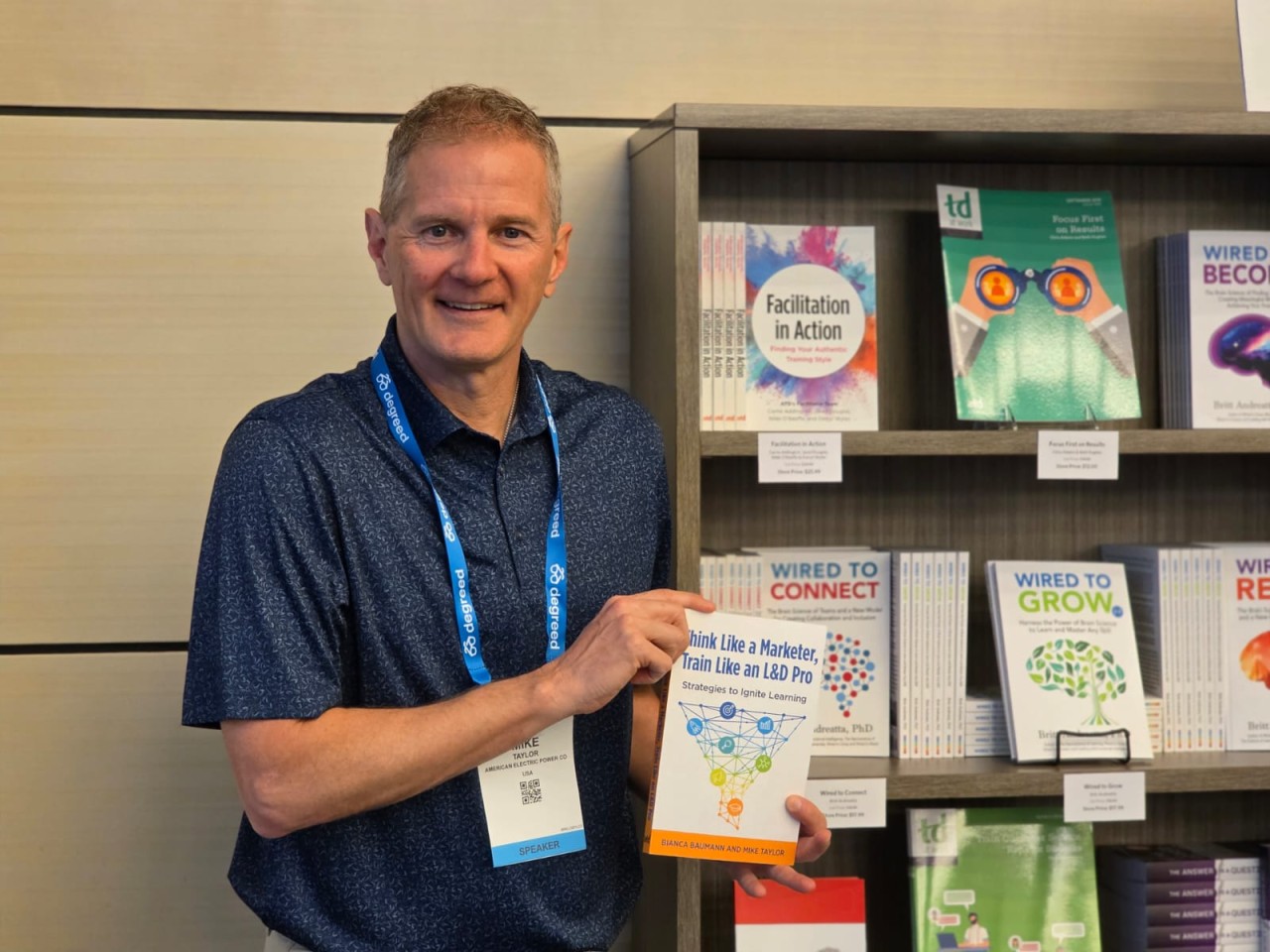
For the past five years, Mike Taylor, co-author of Think Like a Marketer, Train Like an L&D Pro, has taught graduate courses in Franklin University’s Instructional Design and Learning Technology program in Columbus, Ohio. Through courses on learning technologies and learning management systems, he helps aspiring instructional designers bridge the gap between theory and the realities of working inside an organization. His approach challenges students to look beyond mastering a single platform and develop the judgment and adaptability they’ll need throughout their careers.
Mike believes students need both technical skills and instructional expertise. The difference is knowing which comes first.

“The tool matters,” Mike says. “But the thinking matters more.”
That philosophy shaped a graduate assignment built around something far more valuable than learning a piece of software. Taylor asked his students to approach a learning challenge the way they would in a real instructional design role.
Real projects don’t start with the perfect tool
Instructional designers rarely begin a project by choosing their favorite authoring platform.
Instead, they begin with constraints. The budget may be limited. The organization already has an LMS. Accessibility standards must be met. Stakeholders have competing priorities. Tight deadlines leave little room for experimentation. In many cases, the authoring tool has already been selected before the instructional designer joins the project.
That’s the reality of professional practice. The job is rarely about finding a perfect tool for a perfect situation. It is about making strong instructional decisions within the situation you actually have. Technical skills are part of that equation, but so is judgment.
Instructional designers need to evaluate a learning challenge before deciding how technology should support it. They also need the confidence to learn unfamiliar software when a project demands it.
Mike describes that ability as tool agility.
“I’m less interested in whether they’ve mastered one platform and more interested in whether they can learn new tools quickly.”
Industry-standard software absolutely deserves a place in instructional design programs. Students need opportunities to build practical skills. Just as importantly, they need a foundation that outlasts any individual platform. Software evolves quickly, but the principles behind effective learning design do not.
Students who understand both leave the classroom prepared for much more than their first job.
Creating assignments that feel like instructional design
In Mike’s graduate course, students didn’t simply write about instructional design principles. They applied them.
For their final project, each student designed a complete learning experience that demonstrated both instructional thinking and technical execution. They were free to choose the authoring platform that best suited their project.
That flexibility made the assignment feel much closer to professional practice. As Mike explains:
“I wanted the focus to stay on design, not on gatekeeping through software.”
No matter which platform they selected, every student had to answer the same questions. How should learners move through the experience? What decisions should they make? How much information should they receive at one time? What feedback will actually help them improve? Which interactions support the learning objective, and which ones simply add complexity?
Those decisions shaped the project long before the software did.

Putting nursing students in the driver’s seat
Graduate student Jeff Stackhouse encountered those questions while completing his master’s degree in nursing education.
His final project focused on IV complications. Although he initially planned to build it in Articulate Storyline, working on a Mac led him to explore other options. He ultimately created the experience in Genially.
Learning a new platform was only part of the challenge. The real work was designing an experience that encouraged clinical reasoning instead of passive content consumption.
Rather than presenting information in a fixed sequence, Jeff asked learners to interpret assessment data, examine visual clues, and decide what to do next. Learners could request additional information whenever they needed it. Content appeared in manageable sections instead of all at once, giving them space to process what they were seeing before moving forward.
Every interaction served a purpose.
“I wanted the necessary information segmented so as not to overload the user with too much information at once,” Jeff explains. “The user can click through the assessment information at their own pace.”
The result reflected how nurses actually think on the job. They gather information, assess the situation, weigh the evidence, and make decisions under real constraints.
Good interactivity gives learners meaningful work to do
Interactivity can make learning more engaging, but engagement isn’t the goal.
We’ve all seen courses filled with hotspots, animations, buttons, and clickable objects that keep learners busy without helping them learn anything new. Mike saw something different in Jeff’s project.
“The interactivity actually had a job to do. It wasn’t just clicking for the sake of clicking. It supported the learning.”
That’s the distinction that matters.
The objective is learning. Interactivity is simply one way to support it. Sometimes that means using a click-to-reveal interaction. Sometimes it calls for a branching scenario, an exploratory activity, a simulation, or no interaction at all. Strong instructional designers choose the approach that best serves the learner and the objective, not the one that showcases the most features.
That principle becomes even more important in scenario-based learning, where decisions, consequences, and context are part of the learning experience itself. Every interaction should help learners think through situations they are likely to encounter outside the course.

Different tools, different strengths
Whenever instructional design students compare authoring platforms, the conversation usually comes down to one question:
Which tool is better?
Mike sees it differently. Different platforms solve different design problems.
Genially excels when learning depends on visual storytelling, exploration, interaction, and discovery. It gives designers the freedom to create experiences that encourage learners to investigate rather than simply progress through a sequence of slides.
Articulate Storyline offers greater control over variables, branching logic, formal assessments, and structured feedback.
“It’s not really a competition,” Mike says. “They each have a lane.”
Knowing those strengths is part of becoming an instructional designer.
Choosing a tool isn’t about loyalty to a platform. It’s about understanding the learning experience you want to create and selecting the technology that best supports it. That’s a skill students will use throughout their careers.

Why adaptability matters more than software expertise
Technology will continue to evolve. AI will reshape more parts of the design process. New platforms will emerge, established ones will change, and some will disappear altogether.
The fundamentals remain the same. Instructional designers still need to understand learners, analyze problems, make intentional design choices, and adapt as circumstances change. Authentic projects give students the chance to practice those habits before they enter the workplace.
More importantly, they teach students to become comfortable with uncertainty. Every project involves trade-offs. Every design decision has consequences. Every new tool requires learning.
Eventually, students stop asking, Can I build this?
They start asking something far more valuable.
Should I build it this way?
That’s the question instructional designers answer every day. It’s also one of the most valuable questions we can teach them to ask.